Technical SEO problems are not equally important.
A crawler can produce hundreds of warnings: redirect chains, missing schema, duplicate titles, slow templates, orphan URLs, JavaScript rendering issues, sitemap inconsistencies, and canonical conflicts. The volume of findings can make a website look unhealthy even when many issues barely affect its important pages.
The opposite can also happen. A site can look clean while one accidental directive prevents a commercially important page from appearing in search.
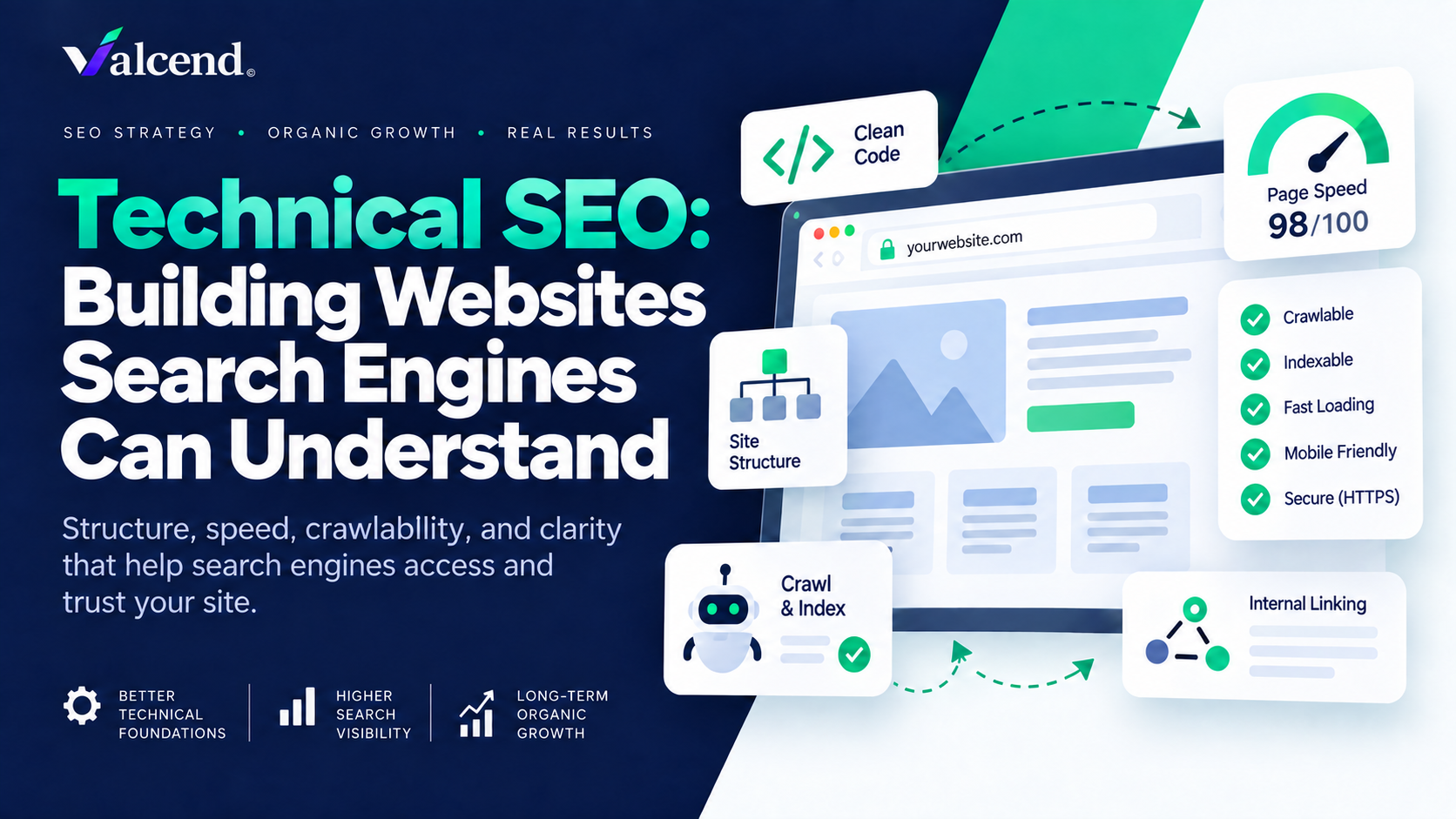
Google reduces the minimum technical requirements for indexing eligibility to three conditions: Googlebot must not be blocked, the page must return a successful HTTP status, and the page must contain indexable content. Even when those requirements are met, Google explicitly says indexing is not guaranteed.
Business-first prioritization
Fix visibility blockers before supporting optimizations
- Blocked important URL
- Server error
- Accidental noindex
- Wrong canonical
- Orphan page
- Rendering failure
- Broken internal discovery
- Core Web Vitals
- Structured data
- Lower-impact audit warnings
The useful question is therefore not, “How many audit errors can we eliminate?” It is, “Which technical constraints are preventing the right pages from becoming usable search inventory?”
The Valcend Search Eligibility Chain
Technical SEO works best when you follow a priority URL through the system rather than treating every audit warning independently.
Original framework
From business-priority URL to measurable search visibility
Consider Accounting Experts, a mid-sized accounting firm in Austin, Texas. Fictitious business used for illustrative purposes. Its priority page is a service page for small-business accounting. We can follow that URL through six stages.
1. Decide what deserves search visibility
Separate URLs the business wants customers to find from pages that should remain functional but do not need to compete in search.
Technical SEO begins with an information-architecture decision. Not every URL deserves indexing.
Accounting Experts might have core service pages, location pages, educational resources, contact pages, filtered archives, internal search results, tracking-parameter variants, and obsolete content. Google Search Console itself notes that non-indexed URLs can be perfectly normal, including duplicate or intentionally excluded pages.
URL classification
Decide the intended search role before choosing a technical treatment
Distinct pages serving meaningful customer demand and business objectives.
Functional pages needed by users or systems but not useful as independent search results.
Obsolete, duplicate, accidental, or unnecessary URLs that create avoidable complexity.
Do not optimize a page for indexing until you can explain why that URL deserves to exist as a distinct search result.
2. Make important URLs discoverable
Give search engines clear paths to the URLs the business has decided are important.
Google discovers pages through links, sitemaps, and other signals. For a priority Accounting Experts service page, make sure relevant navigation or internal pages link to it, the links are crawlable HTML, the preferred URL appears in the XML sitemap, and the page is not an orphan.
Google recommends navigation that allows important pages to be reached through links. Its sitemap guidance also recommends including the fully qualified canonical URLs you want to appear in Search. A sitemap can contain up to 50,000 URLs or 50 MB uncompressed before it must be split. Submitting a sitemap helps discovery, but does not guarantee indexing.
A sitemap is a discovery signal, not an indexing command. If a page has no clear role, poor content, or conflicting technical signals, sitemap inclusion does not solve those problems.
A clean set of internally connected, sitemap-listed priority URLs.
Greater likelihood that valuable pages are discovered and evaluated for search visibility.
3. Make pages fetchable and renderable
Confirm that Google can request the page and see the content and directives you intend after rendering.
For an important page, verify a successful 200 response, no accidental crawler block, no authentication barrier, visible primary content, and no unintended noindex. Google's minimum technical requirements center on exactly these accessibility conditions.
Two controls are especially easy to confuse. robots.txt controls whether a crawler may request a URL. A noindex directive tells Google not to keep an accessible page in its index. If you block Googlebot in robots.txt, Google may not be able to crawl the page and process the noindex directive.
Technical controls
robots.txt, noindex, canonical, and redirects solve different problems
robots.txtControl crawlingUse when you need to prevent crawler requests to a URL or path. It is not an indexing directive.
noindexControl indexingUse when an accessible page should not appear in search results.
rel="canonical"Consolidate duplicatesSignal the preferred URL when multiple accessible versions contain the same or very similar content.
301 / 308Move the URLUse a permanent redirect when the old URL should lead users and crawlers to a new destination.
JavaScript itself is not automatically a problem. Google renders pages and executes JavaScript. The practical risk is implementation: important content, canonical tags, robots directives, or navigation may differ after rendering from what your CMS settings imply. Google's JavaScript SEO guidance is therefore best used to validate the rendered result.
Test the rendered URL and its actual HTTP response, not merely the configuration you expect the CMS to produce.
4. Consolidate signals into the correct URLs
Keep duplicate or alternate URLs from sending inconsistent signals about which version should represent the content.
Websites commonly create multiple versions of substantially the same content through parameters, protocol variants, filtered paths, tracking URLs, print versions, or duplicated category structures. Google groups duplicates and selects a canonical representative.
You can influence that selection through redirects, rel="canonical", and sitemap inclusion. Google describes redirects and canonical annotations as strong canonicalization signals, while sitemap inclusion is weaker. Consistency matters.
Canonical consistency
One priority page should have one clearly preferred URL
Conflicting signals
Reinforced preference
For Accounting Experts, the preferred URL might be /services/small-business-accounting/. Internal links, sitemap entries, canonicals, and redirects should reinforce that version rather than point to competing equivalents.
When several technical signals describe the same content, make them agree on the URL you want search engines and users to treat as primary.
5. Validate indexing and page experience
Confirm that Google actually indexed priority pages, then improve the experience of pages that are already eligible.
Use Search Console's URL Inspection tool for individual priority pages and the Page Indexing report for broader patterns. Do not treat every excluded URL as a failure. The meaningful question is whether pages that should rank are indexed and whether the exclusions elsewhere are intentional.
Once eligibility is sound, page experience deserves attention. Google recommends good Core Web Vitals, including Largest Contentful Paint within 2.5 seconds, Interaction to Next Paint below 200 milliseconds, and Cumulative Layout Shift below 0.1. These are useful user-experience targets, but they do not replace relevance or indexing.
A faster page that Google cannot index is still invisible. Solve fundamental accessibility and canonical problems before chasing marginal performance gains.
Crawl budget also deserves proportionate attention. Google's July 2026 documentation says dedicated crawl-budget optimization is mainly relevant to very large sites, rapidly changing sites, or sites with substantial discovery-but-not-indexing problems. For ordinary small and mid-sized business sites, maintaining the sitemap and monitoring indexing is generally more useful than treating crawl budget as an emergency.
6. Measure whether technical accessibility creates business value
A technical fix is an output. Its purpose is to remove a constraint on useful search performance.
Measurement chain
From technical fix to commercial evidence
| Metric | Role | Decision it supports |
|---|---|---|
| Crawl errors fixed | Output | Was access repaired? |
| Canonicals corrected | Output | Were URL signals clarified? |
| Priority pages indexed | Diagnostic | Are target URLs eligible for Search? |
| Core Web Vitals | Diagnostic | Is real page experience technically healthy? |
| Impressions and clicks | Diagnostic | Is Google surfacing the page and are searchers visiting? |
| Qualified leads / appointments | Business KPI | Is useful search demand reaching the business? |
Do not describe a ranking improvement after a technical change as proof of causation. Search rankings can also move because content, competitors, internal links, external links, and Google's systems change at the same time.
What AI search changes
For Google, less than many new technical checklists imply.
Google's 2026 generative-AI guidance says AI Overviews and AI Mode rely on Google's Search index and core ranking and quality systems. It continues to recommend foundational SEO: crawlable pages, useful content, appropriate indexing, clear structure, and accessible media. Google does not require a separate AI-specific technical infrastructure.
The implication is straightforward: if a page cannot reliably enter and function within the search system, adding an “AI optimization layer” does not solve the underlying technical problem.
What to fix first
When I review technical SEO, I would normally prioritize problems in this order:
- Important pages that cannot be accessed.
- Important pages unintentionally excluded from indexing.
- Canonical or duplicate issues affecting priority URLs.
- Broken internal discovery and site architecture.
- Rendering problems that hide meaningful content or directives.
- Performance and page-experience problems.
- Supported enhancements such as structured data where relevant.
- Low-impact crawler warnings.
That order connects technical severity to commercial consequence. A site does not become healthier because its audit score rises from 86 to 94. It becomes healthier when technical constraints stop interfering with pages the business needs customers to find.
Build technical SEO around the pages that matter
Technical SEO is infrastructure. Its job is not to generate impressive audit reports.
Decide what deserves indexing. Make those URLs discoverable. Make them accessible and renderable. Reinforce the intended canonical. Validate indexing and experience. Then measure whether greater technical eligibility creates useful visibility and customer activity.
That is how technical SEO becomes part of a growth system instead of a maintenance checklist.
Prioritize the technical constraints that affect growth
Need help identifying which technical problems actually matter?
At Valcend, I evaluate technical SEO alongside search demand, content, site architecture, competitive opportunity, and business value. The objective is not to fix every warning a crawler can produce. It is to identify which technical constraints are preventing valuable pages from being discovered, indexed, understood, or used effectively.
Book a consultation
Emilio Tinoco
Emilio Tinoco is the Founder and Digital Marketing Strategist at Valcend. He has more than eight years of experience across SEO, paid media, lead generation, analytics, measurement, and business-to-consumer marketing. His approach begins with business goals and customer demand before determining which keywords, content, technical improvements, acquisition channels, and authority-building activities deserve investment. Through Valcend, Emilio helps businesses connect search visibility to qualified customer opportunities and measurable growth.
More about EmilioMethodology and sources
How this article was researched
This article was researched on September 6, 2026. Research prioritized current Google Search Central, Search Console, and crawling-infrastructure documentation covering technical eligibility, crawling, rendering, indexing, sitemaps, canonicalization, crawl budget, Core Web Vitals, JavaScript, and generative AI search.
Current Ahrefs, Semrush, and Backlinko technical SEO guides were reviewed to understand existing search-result coverage and identify where checklist-based guidance can obscure business priorities. Practitioner discussion was used only to identify implementation concerns, not as evidence of Google's behavior. Accounting Experts and all associated examples are fictitious and illustrative. Technical guidance involving Google crawling, JavaScript rendering, Search Console, and generative AI should be reviewed within six months.
References
Primary and supporting sources
- Google Search Technical Requirements. Google Search Central. Updated December 18, 2025. Direct source. Accessed September 6, 2026.
- In-Depth Guide to How Google Search Works. Google Search Central. Current documentation. Direct source. Accessed September 6, 2026.
- Build and Submit a Sitemap. Google Search Central. Current documentation. Direct source. Accessed September 6, 2026.
- What Is Canonicalization? Google Search Central. Updated August 20, 2026. Direct source. Accessed September 6, 2026.
- How to Specify a Canonical URL. Google Search Central. Current documentation. Direct source. Accessed September 6, 2026.
- Understand JavaScript SEO Basics. Google Search Central. Current documentation. Direct source. Accessed September 6, 2026.
- Optimize Your Crawl Budget. Google Crawling Infrastructure. Updated July 2026. Direct source. Accessed September 6, 2026.
- Page Indexing Report. Google Search Console Help. Current documentation. Direct source. Accessed September 6, 2026.
- Understanding Core Web Vitals and Google Search Results. Google Search Central. Updated December 10, 2025. Direct source. Accessed September 6, 2026.
- Optimizing Your Website for Generative AI Features on Google Search. Google Search Central. Updated July 10, 2026. Direct source. Accessed September 6, 2026.
- The Beginner's Guide to Technical SEO. Patrick Stox, Ahrefs. Current guide. Direct source. Accessed September 6, 2026.
- What Is Technical SEO? Basics and Best Practices. Semrush. April 23, 2026. Direct source. Accessed September 6, 2026.
- Technical SEO: The Definitive Guide. Backlinko. Updated July 24, 2026. Direct source. Accessed September 6, 2026.